

Touch point cleaning is the practice of identifying and regularly wiping down frequently handled surfaces, such as doorknobs, elevator buttons, light switches, keyboards, and sink handles, to reduce germ buildup and help prevent disease spread. Two things to do right now:
- Rank your highest-risk surfaces (entrance doors, shared electronics, restroom fixtures) and wipe them down regularly.
- Clean before you disinfect. Soap and detergent remove the grime that blocks disinfectants from working.
Guidance from the CDC, the EPA’s List N of approved disinfectants, and a professional cleaning partner like Zia Building Maintenance give you the framework to build a schedule that actually holds up.
Key Takeaways
Touch point cleaning reduces pathogen transfer by targeting frequently handled surfaces with a clean-then-disinfect sequence matched to real-world risk.
| Point | Details |
|---|---|
| Definition matters | Touch points are surfaces multiple people handle repeatedly, not every surface in a room. |
| Order of operations | Clean with soap or detergent first, then disinfect with an EPA List N product for full contact time. |
| Frequency follows risk | Daily for general areas, more often for high-traffic, shared-equipment, or vulnerable-population settings. |
| Documentation builds trust | Logs and spot checks give you proof your protocol holds up under scrutiny. |
| Professional support helps | Zia Building Maintenance builds trained, documented touch point programs for offices, schools, and medical facilities. |
This article is general information, not a substitute for advice from a qualified doctor. Consult a qualified healthcare professional about your own circumstances before acting on anything here.
Table of Contents
- What Counts as a Touch Point in Your Facility?
- Why Touch Point Cleaning Matters for Infection Control
- How Do You Clean and Disinfect a Touch Point?
- How Often Should Touch Points Be Cleaned?
- What Should a Daily Touch Point Checklist Include?
- What Do Experienced Cleaning Crews Do Differently?
- An Operator’s View on Consistency
- How Zia Building Maintenance Handles Touch Point Programs
- Sources
- FAQ
What Counts as a Touch Point in Your Facility?
A touch point is any surface multiple people handle repeatedly during the day. That repetition is what separates it from a wall or a window sill. You’re looking for the spots hands land on without thinking.
Group them by area and the list gets manageable fast:
- Entrances: door handles, push plates, entry mats, buzzer buttons
- Circulation: elevator buttons, stair rails, hallway light switches
- Work areas: keyboards, mice, phones, desk edges, shared printers
- Restrooms: faucet handles, soap dispensers, stall locks, flush levers
- Communal spaces: breakroom appliance handles, coffee makers, vending buttons
- Shared equipment: conference room remotes, badge readers, shared tools
The ones that get missed most often: pen cups at reception, chair armrests in waiting areas, and the buttons on office equipment nobody thinks to wipe. If you want a deeper audit of what typically slips through, this list of commonly missed disinfection areas is worth a walkthrough.
Why Touch Point Cleaning Matters for Infection Control
Touch points matter because so many hands land on them. The CDC notes that surfaces handled by multiple people act as high-risk vectors for transferring bacteria, viruses, and other pathogens between individuals. One contaminated doorknob can pass germs to dozens of people before the next cleaning pass.
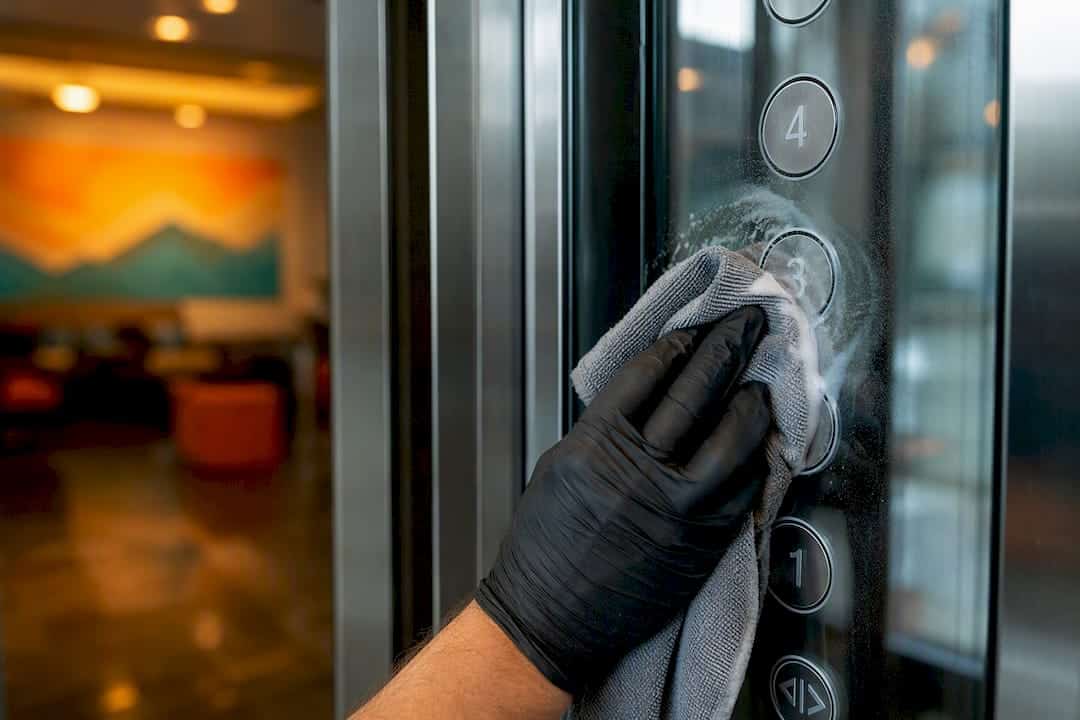
Surface transmission generally carries lower risk than airborne spread, but it’s still relevant, especially where people share equipment closely or where the space serves children, elderly visitors, or anyone with a weaker immune system. A shared keyboard or a breakroom coffee handle is a small risk multiplied by a lot of contact.
For a business, the payoff of staying ahead of this shows up in ordinary ways:
- Fewer sick days clustering around the same week
- A cleaner audit trail if a health inspector or corporate client asks about your protocols
- Staff and visitors who notice the difference and trust the space
None of this requires a dramatic overhaul. It requires consistency, which is exactly where most facility cleaning routines quietly fall apart.
How Do You Clean and Disinfect a Touch Point?
Cleaning and disinfecting are two different jobs, and skipping the order matters. Soap or detergent removes dirt and many germs. Disinfecting uses an EPA-registered agent to kill what’s left, but it can’t do that job effectively through a layer of grime. Cleaning always comes first.
Here’s the sequence your team should run on a single touch point, say, a doorknob, and repeat across every surface on the list:
- Put on gloves and, if the area calls for it, a mask.
- Wipe the surface with soap or detergent and a clean cloth to remove visible dirt and organic matter.
- Apply an EPA List N disinfectant according to the label.
- Let it sit for the full contact time printed on the product label. Wiping it off early undoes the work.
- Set aside the cloth for laundering or discard it if disposable, then wash your hands.
Product choice matters as much as technique. Not every disinfectant works the same way, so check that whatever you’re using appears on List N and follow its exact contact time. For a full breakdown of what separates these steps in practice, see this guide on cleaning versus sanitizing versus disinfecting.
Electronics need their own approach. Skip the all-purpose spray and reach for alcohol-based wipes around 70% alcohol, or whatever the manufacturer allows, since some screens and buttons react poorly to harsher chemicals.
Pro Tip: Work clean-to-dirty and high-to-low across a room, and flip your cloth to a fresh side before it touches a new surface. Reusing a dirty side just spreads germs from one spot to the next instead of removing them.
- Never use the same cloth on a keyboard and then a restroom handle.
- Color-code cloths by zone if your team covers multiple areas in one shift.
How Often Should Touch Points Be Cleaned?
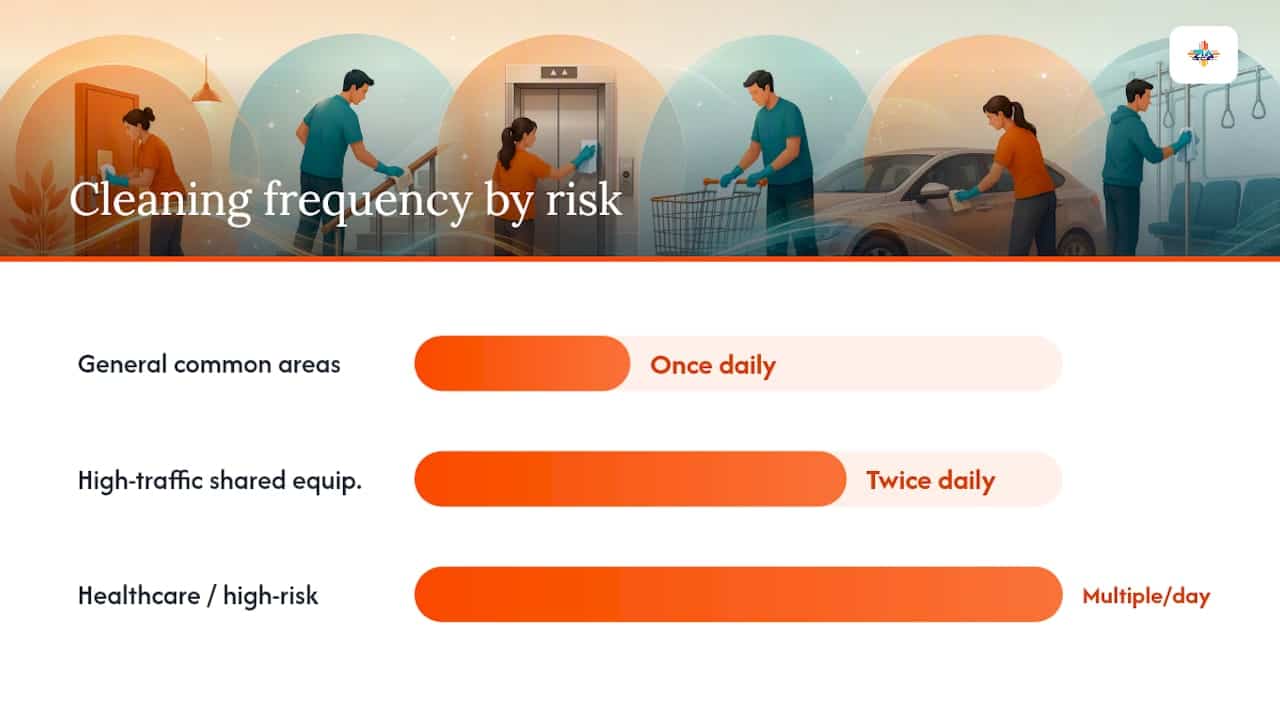
Frequency should follow risk, not a flat calendar rule. The CDC’s approach weighs three factors: how likely a surface is to get contaminated, how vulnerable the people using it are, and how much exposure that contact creates. A doorknob in a busy lobby scores differently than a shelf in a storage closet.
In practice, that breaks down into a few tiers:
- General common areas: once daily covers most situations, per CDC guidance.
- High-traffic or shared-equipment zones: twice daily, or after each use for things like conference room controls.
- Healthcare and other high-risk settings: multiple times a day, often after each patient contact.
Raise the frequency when you’ve got young children on site, an outbreak in the community, or a spike in visitor traffic. Cleaning alone handles most routine days; add disinfection when there’s a spill, a known illness exposure, or a higher-risk environment to begin with. If you manage a larger footprint, this breakdown on how often large offices should be cleaned is a useful next step.
| Point | Details |
|---|---|
| Risk drives frequency | Match cleaning cadence to traffic, vulnerability, and exposure, not a fixed calendar. |
| General areas | Once daily is standard for most common facility spaces. |
| High-risk zones | Healthcare and shared-equipment areas often need multiple cleanings per day. |
What Should a Daily Touch Point Checklist Include?
A working checklist stays short enough that staff actually finish it. Cover the zones that see the most contact and skip the ones that don’t.
- Entrance doors and push plates
- Reception counters and pens
- Elevator buttons and stair rails
- Breakroom appliance handles
- Restroom fixtures and dispensers
- Conference room equipment and shared electronics
A sample weekly rhythm looks like this:
- Daily: entrance, reception, restrooms, breakroom handles.
- Twice daily: elevator buttons, shared equipment in high-traffic buildings.
- Weekly: deep wipe of light switches, vending buttons, and rarely touched fixtures.
- Ongoing: spot-check logs and sign-offs after each shift.
Documented logs and quick spot audits give you a paper trail if a client or inspector ever asks whether your protocol is more than a suggestion.
What Do Experienced Cleaning Crews Do Differently?
Small habits separate a crew that’s consistent from one that’s just busy. Color-coding cloths by zone stops cross-contamination before it starts. Pre-filling labeled spray bottles saves time and keeps dilution ratios accurate instead of guessed. Folding a microfiber cloth into quarters gives you eight clean sides before it needs washing, and running high-touch passes during low-traffic windows, early morning or right after lunch, means less disruption and better coverage.
For new hires, a short shadowing session on their first few shifts catches bad habits before they become routine. Some crews use quick training checks, marking a test spot and confirming it got wiped, to verify a new hire is actually covering what the checklist says.
- Standardize cloth colors by zone
- Pre-fill and label spray bottles
- Shadow new hires for at least one full shift
- Run high-touch passes during quiet hours
An Operator’s View on Consistency
Every complaint we’ve ever fielded about a “dirty office” traces back to inconsistency, not neglect. Someone skipped the elevator buttons on a Friday, or a new hire didn’t know the breakroom handles counted. The fix isn’t more product. It’s a checklist that survives staff turnover and a schedule that a contractor can pick up without a training call.
Buildings that run touch point cleaning on a set rhythm see fewer complaints and smoother handoffs when a new team takes over. Start with the checklist and training habits above, and the rest tends to follow.
How Zia Building Maintenance Handles Touch Point Programs
Zia Building Maintenance builds touch point cleaning into a documented, repeatable program instead of leaving it to whoever’s on shift that day. Since 1989, Zia has run tailored janitorial plans for offices, medical facilities, and schools across the Albuquerque and Santa Fe area, with staff trained on the same clean-to-dirty sequencing and product protocols covered above.
That means a written checklist your team or contractor can follow, logged verification so you have a record if anyone asks, and a plan customized to your building’s actual traffic and risk profile rather than a generic template. If your current routine feels more improvised than scheduled, request a tailored office cleaning plan and get a program built around your specific touch points, not a one-size-fits-all list.
Sources
- When and How to Clean and Disinfect a Facility | Water, Sanitation, and Environmentally Related Hygiene (WASH) | CDC
- Cleaning and disinfection procedures for environmental surfaces in healthcare settings | CDC
- Cleaning and Disinfecting Your Facility | CDC (extended guidance PDF)
- Cleveland Clinic: Cleaning and disinfecting guide (practical tips for workplaces)
FAQ
What Is Touch Point Cleaning?
Touch point cleaning is the routine cleaning and disinfecting of frequently handled surfaces, like doorknobs and light switches, to reduce germ spread between the many people who touch them.
What Is the Purpose of a Touch Point Program?
The purpose is to interrupt pathogen transfer at the surfaces where multiple hands make contact most often, lowering the chance of illness spreading through a shared building.
How Often Should Touch Points Be Cleaned?
Most general facility areas need cleaning at least once daily, while high-traffic or healthcare settings often require multiple cleanings a day or cleaning after each use.
Does Zia Building Maintenance Offer Touch Point Cleaning Programs?
Yes, Zia Building Maintenance builds documented touch point cleaning schedules and training into its commercial office cleaning services for offices, medical facilities, and schools.