

What Is the ABQ Library Catalog and How Do You Use It?
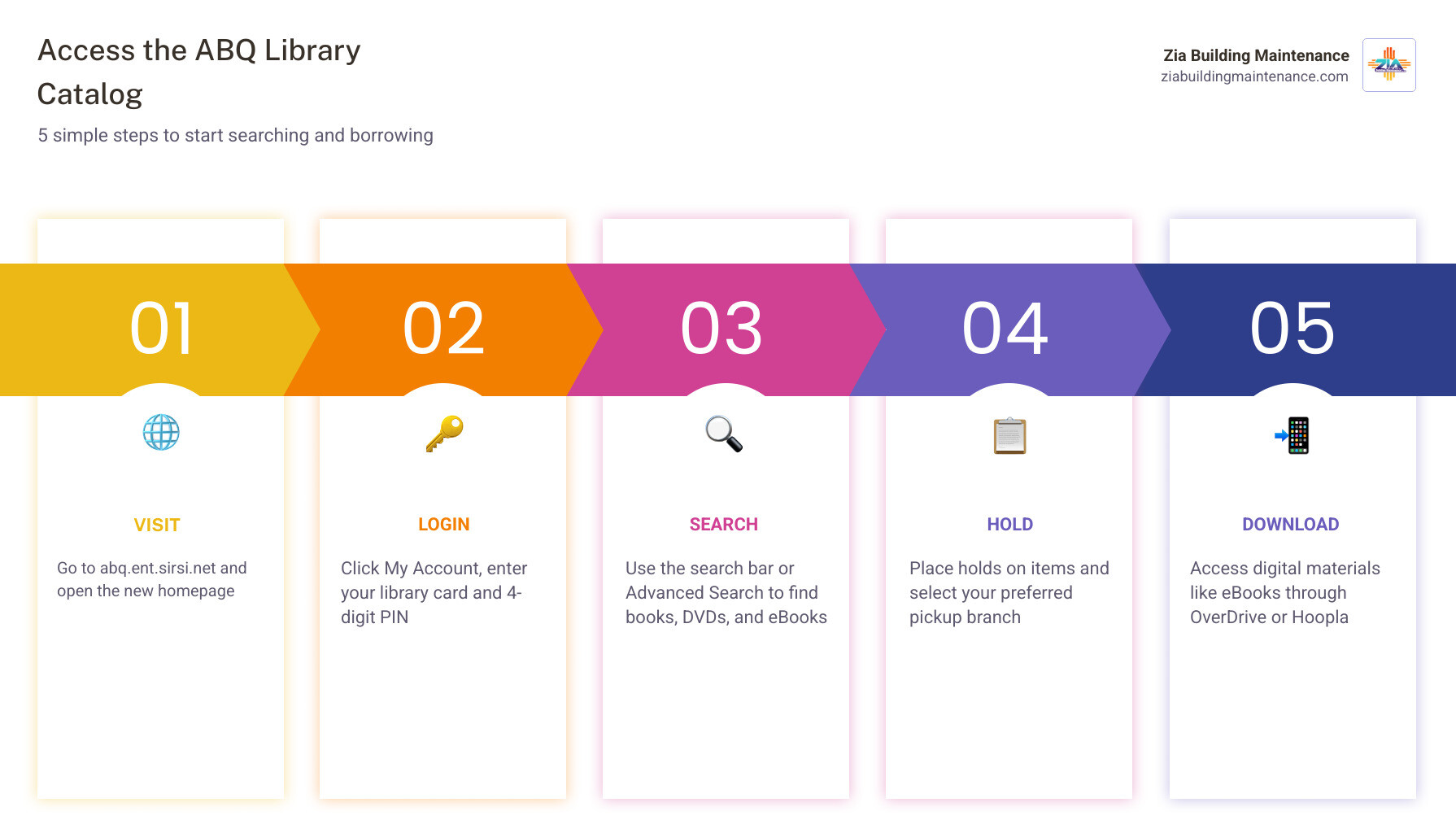
The abq library catalog has been upgraded with a brand new search system, a refreshed homepage, and improved account management tools. Here’s how to get started fast:
- Go to the catalog: Visit abq.ent.sirsi.net
- Log in: Click “My Account” in the top menu bar
- Enter your library card number and your 4-digit PIN
- First-time login? Your PIN is the last 4 digits of your library card number
- Search: Use the search bar to find books, DVDs, eBooks, and more
- Place a hold: Click “Place Hold” on any item and choose your pickup branch
- Download eBooks: Click “Download” on digital results and select your format
The Public Library of Albuquerque and Bernalillo County serves the community through 19 branches across the city and county. The upgraded catalog system makes it easier than ever to search physical and digital materials — including eBooks, audiobooks, and more through platforms like OverDrive, Hoopla, and Freegal — all from one place.
I’m Ashley Cordova, and as someone who has spent years managing operations and supporting Albuquerque’s local institutions, I know how much community resources like the abq library catalog matter to residents and businesses alike. This guide will walk you through everything you need to use the new system with confidence.
Navigating the New System
The Public Library of Albuquerque and Bernalillo County has officially leveled up! As of May 2026, the new abq library catalog is live, and it’s a total game-changer for anyone who loves a good story. Whether you’re looking for a hardbound mystery, a digital cookbook, or a niche zine about local neighborhood cats, the new interface is designed to be your one-stop shop.
The first thing you’ll notice is the new Home page. It’s cleaner, faster, and much more intuitive than the previous version. The library recognized that we live in a world—much like how we at Zia Building Maintenance understand that a clean workspace needs to be maintained efficiently, the library wants your search for knowledge to be just as seamless.
If you had the old catalog bookmarked, you might find yourself hitting a Catalog Redirect. Don’t panic! This is just the system’s way of ushering you into the future. The upgrade includes significantly improved search capabilities that allow you to toggle between physical books and digital resources without needing multiple tabs open.
Accessing Your Account for the First Time
One of the most frequent questions we hear is: “Why can’t I log in?” When the library migrated to the new system, they prioritized security. Because your old PIN was encrypted, it couldn’t be moved over to the new system.
To get back into your My Account Online, follow these simple steps:
- Username: Enter your full library card number (the long string of digits on the back of your card, no spaces).
- Password/PIN: Use the last 4 digits of that same library card number.
- Update: Once you’re in, we highly recommend changing your PIN to something unique that only you know.
If you’ve tried this and it’s still not working, don’t worry. You can use the “Forgot my PIN” link to have a reset email sent to the address on file. Just make sure you check your spam folder—sometimes those library emails like to play hide-and-seek!
Managing Your Preferences in the abq library catalog
Once you’ve successfully logged in, it’s time to make the abq library catalog work for you. In the “My Account” section, you have a wealth of preferences to explore.
One of our favorite features is the SMS Notification system. You can set up text alerts for:
- Hold Pickups: Get a text the second your reserved book hits the shelf.
- Overdue Notices: A gentle nudge so you don’t rack up those pesky fines.
- Manual Messages: Direct updates from your local librarian.
Another key setting is your Checkout History. By default, some systems don’t save what you’ve read for privacy reasons. However, if you’re like us and can’t remember if you read that specific thriller three years ago, you can select “Record my checkout history” and “Show my checkout history” in the Preferences tab. This ensures your literary journey is tracked for your own reference.
While you’re planning your next library visit, be sure to check out our guide on 7 Must-Visit Libraries in Albuquerque for Readers of All Ages to find the branch with the best atmosphere for your reading style.
How to Search the abq library catalog Effectively
Searching the abq library catalog is now more powerful than ever. The main search bar is your gateway, but the secret to finding exactly what you need lies in the “Everything” dropdown menu.
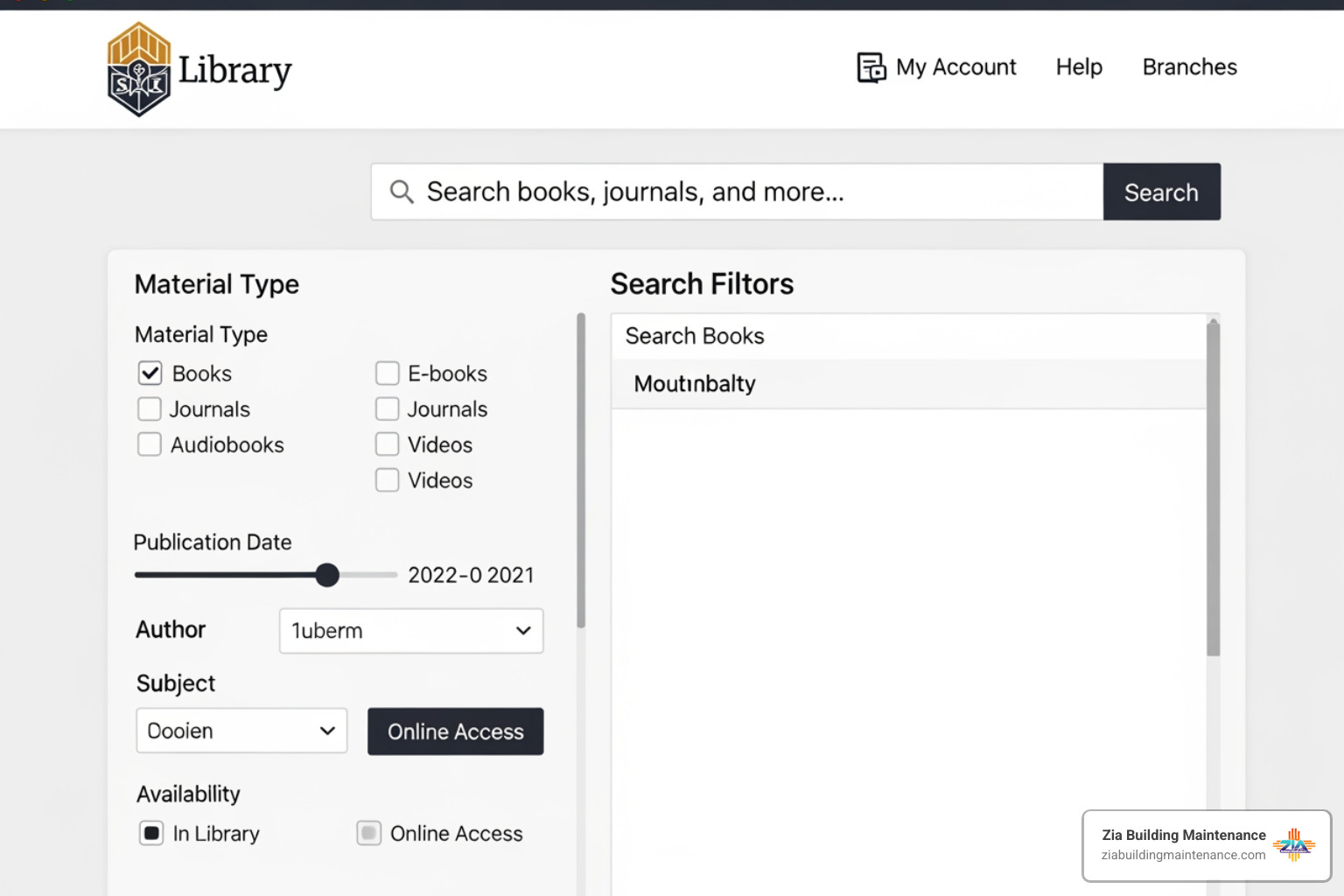
When you type a keyword into the search bar, you can limit your search immediately by selecting:
- Physical Materials: For when you want the smell of real paper.
- Digital Materials: For immediate gratification on your tablet.
- Hoopla/OverDrive: To search specific digital platforms directly.
- Article Search: For scholarly pursuits and EBSCO resources.
If you’re looking for a specific title or author, use the “Fields” dropdown to narrow the scope. This prevents you from getting 500 results for “King” when you specifically wanted books by Stephen King, not books about kings.
For more complex queries, the Advanced Search page is your best friend. You can find more tips on the Search FAQ page if you get stuck.
Using Advanced Search and Facets
Think of “facets” as the high-powered filters you use when shopping online. On the left-hand side of your search results, you’ll see options to “Include” or “Exclude” specific criteria. This is incredibly helpful for narrowing down a broad search.
For example, if you search for “Potter” but you’ve already read every Harry Potter book ten times, you can use the facets to Exclude the author J.K. Rowling. Suddenly, you’ll find books about pottery, Beatrix Potter, and historical figures you never knew existed!
You can also filter by:
- Material Type: (DVD, Book, Audiobook, Music CD)
- Publication Date: Use the slider to find only the newest releases from 2025 and 2026.
- Language: Find materials in Spanish, French, or Vietnamese.
Comparison: Physical vs. Digital Search Results
| Feature | Physical Materials | Digital Materials (OverDrive/Hoopla) |
|---|---|---|
| Access | Pick up at one of 19 branches | Instant download to device |
| Loan Period | Usually 3 weeks | 7, 14, or 21 days (user choice) |
| Returns | Must be returned to a drop-box | Returns automatically (no late fees!) |
| Formats | Hardcover, Paperback, DVD, CD | eBook, eAudiobook, Digital Magazine |
Placing Holds and Accessing Digital Materials
Found something you love? Placing a hold is as simple as clicking the “Place Hold” button next to the item in the abq library catalog. You’ll be prompted to select your pickup library. With 19 branches ranging from the Cherry Hills Library to the South Valley branch, there’s always a convenient spot nearby.
For digital lovers, the process is even faster. When you see an eBook or eAudiobook in the results, click “Download.” If you aren’t logged in, the system will ask for your card and PIN. You can then choose your preferred format (like Kindle or EPUB) and start reading immediately.

If you encounter an “OverDrive Error,” don’t panic. Usually, refreshing your page or clearing your browser cache fixes the issue. The General FAQ provides a deep dive into troubleshooting these common digital hiccups.
Beyond the Books: Programs and Literary Resources
The abq library catalog isn’t just a list of books; it’s a portal to a vibrant community. The library offers resources that go far beyond the standard checkout.
- Novelist: This is a “secret weapon” for readers. If you finished a book and want something “just like it,” Novelist provides expert recommendations based on tone, pace, and writing style.
- Zine Workshops: Albuquerque has a thriving zine culture. The library hosts workshops where you can learn to make your own self-published booklets about everything from local punk bands to your favorite taco spots.
- Writing Groups: Whether you’re a seasoned novelist or just starting a journal, groups like “The Time is WRITE Now!” and “Cherry Hills Writes” offer community support and feedback.
- NextReads: You can sign up for e-newsletters that deliver curated book suggestions straight to your inbox based on your favorite genres.
Troubleshooting the abq library catalog
Even the best systems have a “bad hair day” now and then. If you find that the “My Account” button is missing or the search bar isn’t responding, the most common culprit is your browser’s cache.
Pro-Tip: If the catalog looks “wonky,” try clearing your browser cache and cookies, then restart your browser. This usually forces the new system updates to load correctly.
If you are still seeing OverDrive errors or having trouble with the Search – LibGuides, the library staff is incredibly helpful. You can call any branch or visit in person for a quick tutorial.
Frequently Asked Questions
Why did my PIN change?
As mentioned earlier, the migration to the new abq library catalog required a security reset. Because PINs are encrypted for your protection, they could not be transferred. Resetting everyone to the last 4 digits of their library card was the safest way to ensure everyone could regain access quickly.
How do I find the new library app?
The library is currently working on a brand-new mobile app! In the meantime, the catalog website is “mobile-responsive,” meaning it works beautifully on your phone’s web browser. You can search, place holds, and even manage your account right from your smartphone.
Can I request items from other libraries?
Yes! If the Albuquerque Bernalillo County system doesn’t have what you’re looking for, you have two great options:
- Interlibrary Loan (ILL): You can request books from other library systems across the country. This is available to New Mexico residents with accounts in good standing.
- Suggest a Purchase: If there’s a new bestseller the library hasn’t stocked yet, use the “Suggest a Purchase” form. They love hearing what the community wants to read!
Conclusion
The abq library catalog is a vital resource that keeps our community connected, informed, and entertained. At Zia Building Maintenance, we share that commitment to the Albuquerque community. Just as the library works hard to provide a clean, organized, and accessible digital space for your books, we work tirelessly to provide consistent, high-quality janitorial and commercial cleaning services for your physical workspaces.
Since 1989, our family-owned business has been a trusted partner for industries across Albuquerque, Rio Rancho, and Bernalillo. We believe that a truly clean environment—whether it’s a library branch or a corporate office—is the foundation for productivity and success.
wp:html
/wp:html
wp:html
/wp:html